Runs in the browser
CueWee Studio
CueWee Studio is the CueWee app in your browser. Open studio.cuewee.app on a computer, tablet or phone, sign in and start. There is nothing to install.
Open CueWee Studio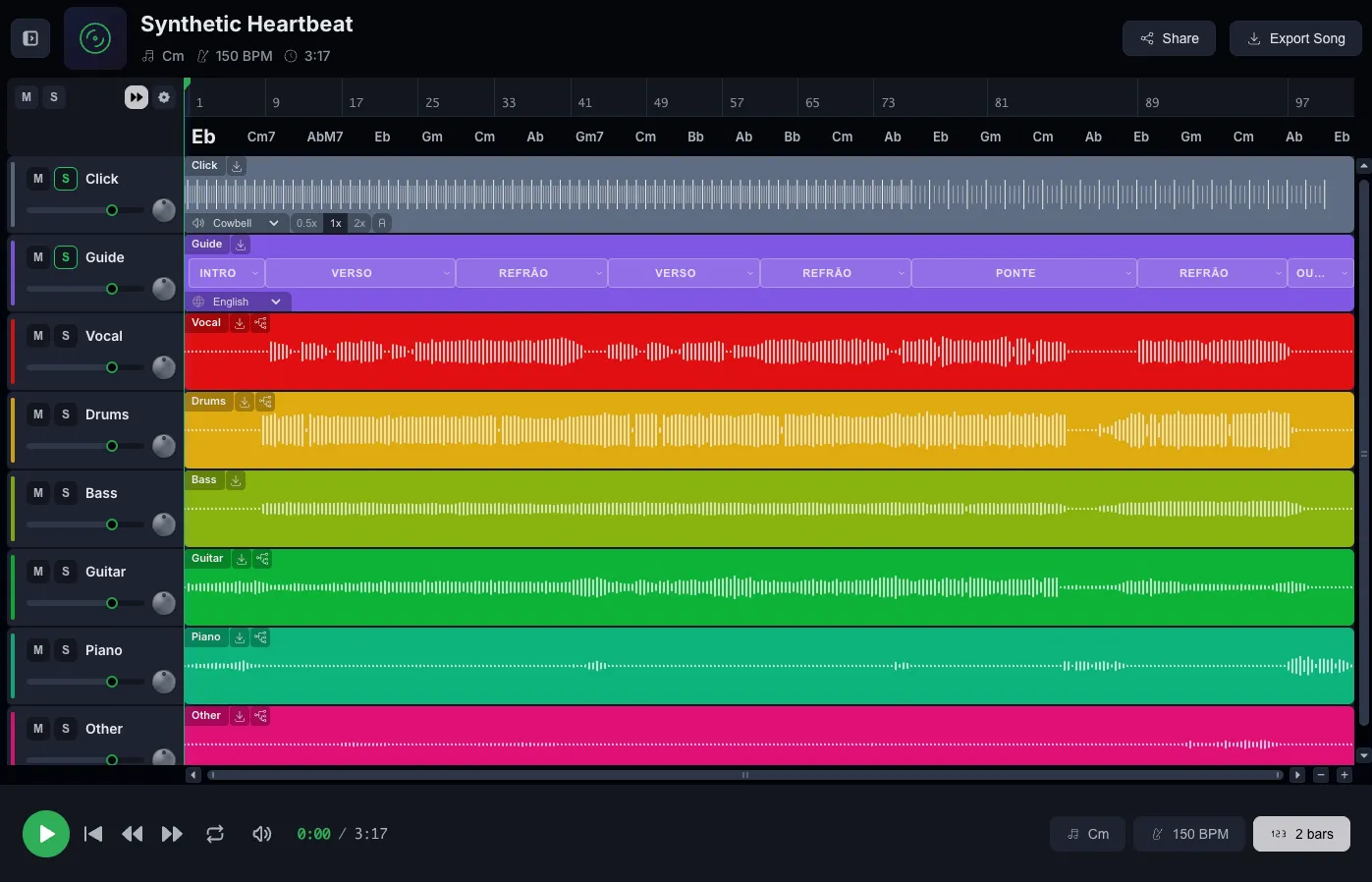
What you do in CueWee Studio
- Upload a song and get separated stems (vocals, drums, bass, guitar and piano), a click that follows the tempo and a spoken guide that calls out each section.
- Mix and play the multitracks in the player, with mute, solo and volume for each track.
- Sign in once and your library, settings and setlists sync to every device where you install CueWee later.
Supported browsers
CueWee Studio works on browsers released in the last few years. These are the oldest versions it supports.
| Browser | Minimum version |
|---|---|
| Chrome or Edge | 111 |
| Safari on Mac | 16.4 |
| Safari on iPhone and iPad | iOS 16.4 |
| Firefox | 115 |
Prefer an installed app?
CueWee also runs as an app, with the same account and the same library.
Frequently asked questions
Do I need to install anything to use CueWee Studio?
No. Open studio.cuewee.app in a supported browser and sign in. Every feature works without a download.
Does CueWee Studio work on a phone or tablet?
Yes. It runs in modern browsers on desktop and mobile, including Safari on iPhone and iPad with iOS 16.4 or later and Chrome on Android 8 or later.
What happens if my browser is too old?
CueWee Studio shows a screen saying the browser is not supported. Update the browser to the versions above, or install a current Chrome or Firefox.
What does the desktop app add over CueWee Studio?
The Mac and Windows apps let you choose the output device and the sample rate, and route each stem to its own channel pair on an interface with several outputs.